.svg)


LiamNeal-09381-1200x800-5b2df79.jpg)


Spring can often be a good time to clear out what you no longer need.
But while you’re refreshing your home, wardrobe or garden, it’s also worth giving your digital life a quick clean-up, starting with your passwords.
Many account compromises don’t happen because someone guesses a password from scratch.
They can happen when a password has already been exposed in a data breach, then reused by scammers to try accessing other accounts.
This is sometimes called credential stuffing, where scammers try exposed login details across other websites and apps.
That means the biggest password risk isn’t always having a weak password. It can be continuing to use an old password that may already be out there.
As Alex from Bank Australia’s security team explains: “Reusing the same password across multiple accounts is what enables credential stuffing to work.”
He gives the example of a customer whose phone was unexpectedly ported to someone else.
They woke up to find unauthorised transactions on their banking, after one-time codes meant for their phone were sent to a device controlled by a third party.
The customer had earlier noticed suspicious access to another online account, then lost access to their Google account before their mobile phone account was taken over.
When the Bank Australia customer safety team asked, they confirmed they had reused passwords.
As Alex puts it: “When someone has reused passwords, things can snowball out of control very quickly.”
Why regular password admin matters
Most of us have more online accounts than we can keep track of: email, banking, shopping, streaming, utilities, government services and social media.
Over time, it’s easy to reuse the same password or keep using one you created years ago.
The problem is that data breaches can expose usernames and passwords from one service.
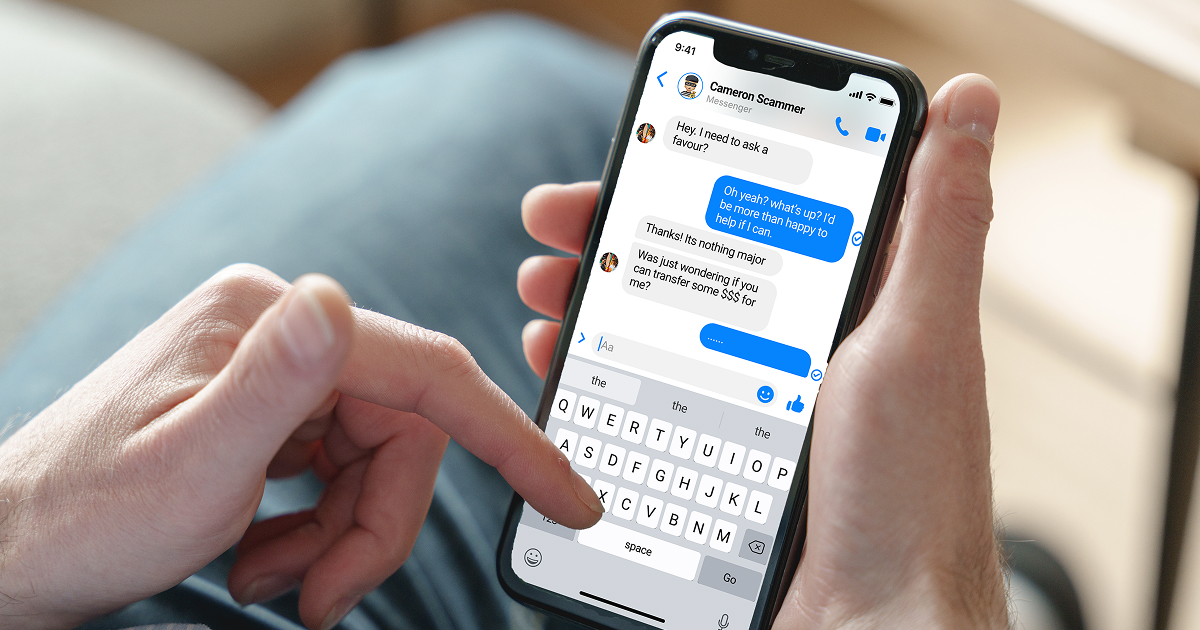
If you’ve used the same login details somewhere else, scammers may try those details across other websites and apps.
Multi-factor authentication can make this harder by adding another check before someone can get in, such as an app prompt, one-time code or fingerprint or face scan.
Password managers can also help by creating and storing different strong passwords for each account. Choose one that has its own login or security check, so someone who gets access to your device can’t automatically see your saved passwords.
Alex says this matters because unprotected password managers can create an “open door” in some remote access scams, where scammers convince someone to give them access to their device and can then see or use saved passwords.
Signs your passwords may need attention
1. You’ve been using the same password for years
Even if a password feels strong, older passwords can become risky if they’ve appeared in a past data breach.
If you can’t remember when you last changed an important password, it may be time to update it.
2. You reuse passwords across multiple accounts
If one account is compromised, the same password could put other accounts at risk too.
This is especially important for accounts that hold personal information, payment details or access to your email.
3. You can’t remember when you last reviewed them
Password reviews do not need to be complicated.
Like updating your phone or checking your smoke alarm, they can become a quick habit that helps reduce avoidable risk.
Your 5-minute digital spring clean
You don’t need to overhaul everything at once.
Start with the accounts that matter most: your email, banking, government services, mobile phone account and any shopping accounts that store payment details.
· Update old passwords on important accounts.
· Close or delete old accounts you no longer use.
· Use a different password for each account.
· Turn on multi-factor authentication where available.
· Check whether your details have been part of a data breach.
· If using a password manager ensure it has its own login or security check.
Why it helps protect more than your password
Scams are becoming more sophisticated, but simple steps can still make a difference.
Reviewing your passwords can help protect your money, personal information and online accounts and make it harder for scammers to use exposed details against you.
At Bank Australia, we’ll never ask you to share your internet banking password, card PIN or one-time code.
Treat these details like the keys to your account and never share them with anyone who contacts you unexpectedly.
What to do if you think your account is at risk
If you think you’ve shared a password, one-time code or banking detail with someone suspicious, act quickly.
Change any passwords that could be affected, stop communicating with the person or organisation, and contact your bank using trusted contact details.
If you’re a Bank Australia customer and you’re concerned about scam activity on your account, call us on 132 888.
LiamNeal-02154-1200x800-5b2df79.jpg)
LiamNeal-04850-1200x800-5b2df79.jpg)






LiamNeal-0224-1200x799-779f864.jpg)

.webp)
LiamNeal-03695-1200x800-5b2df79.jpg)


.webp)